ChevyParts
My Garage
My Account
Cart
OEM 2007 Chevrolet Silverado 3500 Classic Brake Shoe
Brake Shoe Set- Select Vehicle by Model
- Select Vehicle by VIN
Select Vehicle by Model
orMake
Model
Year
Select Vehicle by VIN
For the most accurate results, select vehicle by your VIN (Vehicle Identification Number).
1 Brake Shoe found
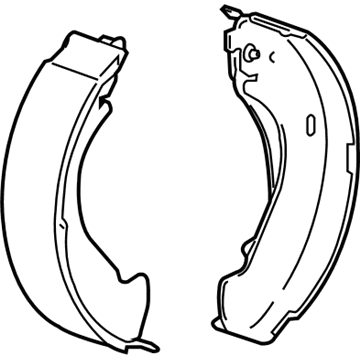
 Product Specifications
- Other Name: Shoe Kit, Rear Brake; Parking Brake Shoe; Shoe Kit, Brake
- Position: Rear
- Replaces: 19133372, 89059128
- Item Weight: 8.80 Pounds
- Item Dimensions: 14.6 x 8.8 x 5.6 inches
- Condition: New
- Fitment Type: Direct Replacement
- SKU: 19256494
- Warranty: This genuine part is guaranteed by GM's factory warranty.
2007 Chevrolet Silverado 3500 Classic Brake Shoe
With a comprehensive array of OEM 2007 Chevrolet Silverado 3500 Classic Brake Shoe, from fuel pumps to door handles, our website is a one-stop-shop for your needs. All our genuine 2007 Chevrolet Silverado 3500 Classic Brake Shoe are backed by the manufacturer's warranty and are offered at competitive prices in the market. Rest assured, you can shop with complete confidence.
2007 Chevrolet Silverado 3500 Classic Brake Shoe Parts and Q&A
- Q: How to Remove and Replace the Brake Drum and Brake Shoe on 2007 Chevrolet Silverado 3500 Classic?A: In order to install the brake drum and the brake shoe, assemble required tools and dismount the rear brake drum. Wash the brake shoes, position them to loosen up and pull out the retractor springs. Removing the park brake cable, grease it with silicone, and make sure that the parts are in place before replacing the drum.
Related 2007 Chevrolet Silverado 3500 Classic Parts
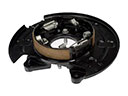 2007 Chevrolet Silverado 3500 Classic Brake Backing Plate
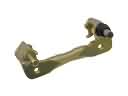 2007 Chevrolet Silverado 3500 Classic Brake Caliper Bracket
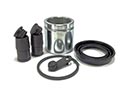 2007 Chevrolet Silverado 3500 Classic Brake Caliper Repair Kit
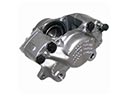 2007 Chevrolet Silverado 3500 Classic Brake Calipers
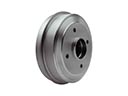 2007 Chevrolet Silverado 3500 Classic Brake Drum
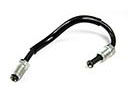 2007 Chevrolet Silverado 3500 Classic Brake Line
 2007 Chevrolet Silverado 3500 Classic Brake Pad
 2007 Chevrolet Silverado 3500 Classic Hydraulic Hose
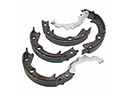 2007 Chevrolet Silverado 3500 Classic Parking Brake Shoe
 2007 Chevrolet Silverado 3500 Classic Wheel Cylinder
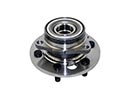 2007 Chevrolet Silverado 3500 Classic Wheel Hub
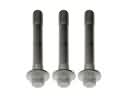 2007 Chevrolet Silverado 3500 Classic Wheel Hub Bolt