ChevyParts
My Garage
My Account
Cart
OEM 2001 Chevrolet Suburban 1500 Engine Control Module
Engine Control Computer- Select Vehicle by Model
- Select Vehicle by VIN
Select Vehicle by Model
orMake
Model
Year
Select Vehicle by VIN
For the most accurate results, select vehicle by your VIN (Vehicle Identification Number).
1 Engine Control Module found
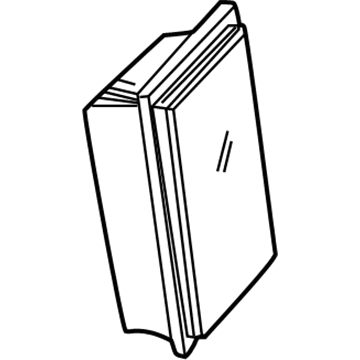
2001 Chevrolet Suburban 1500 PCM Part Number: 12200411
$239.24 MSRP: $434.84You Save: $195.60 (45%)Product Specifications- Other Name: Module, Emission Control System; Engine Control Module; ECM
- Item Weight: 4.50 Pounds
- Item Dimensions: 12.9 x 8.5 x 4.3 inches
- Condition: New
- Fitment Type: Direct Replacement
- SKU: 12200411
- Warranty: This genuine part is guaranteed by GM's factory warranty.
2001 Chevrolet Suburban 1500 Engine Control Module
With a comprehensive array of OEM 2001 Chevrolet Suburban 1500 Engine Control Module, from fuel pumps to door handles, our website is a one-stop-shop for your needs. All our genuine 2001 Chevrolet Suburban 1500 Engine Control Module are backed by the manufacturer's warranty and are offered at competitive prices in the market. Rest assured, you can shop with complete confidence.
2001 Chevrolet Suburban 1500 Engine Control Module Parts and Q&A
- Q: How to perform remote programming of the Engine Control Module on 2001 Chevrolet Suburban 1500?A: Perform remote programming on the Engine Control Module by beginning with turning off the ignition then connecting the Tech 2 to the data link connector (DLC). The first step requires turning ON the ignition while allowing the engine to remain switched OFF. During the process ensure all vehicle accessories are deactivated. You must access Service Programming on the Tech 2 while following the provided vehicle identification requests. Begin the programming stage by selecting the module type as well as its programming type while checking the displayed VIN against the actual VIN of the vehicle; record the actual VIN for future correction through the Techline terminal. Service Programming must be exited before the Tech 2 is switched OFF while removing the connector from the vehicle. To start connect the Tech 2 to the Techline terminal followed by opening Service Programming and selecting the device as Tech 2. Check the VIN that displays on the screen and make changes if needed before selecting the module type and choosing between Normal programming or Vehicle Configuration Index when the VIN is missing or Reconfigure for tire size modifications. Start by choosing the correct calibration file while verifying all connections are tight before selecting the Reprog command for the download process toward the Tech 2 component. Following the download process users must disable the Tech 2 before detaching it from the Techline terminal and then plug it into the DLC port. Switch ON the Tech 2 while setting the ignition OFF followed by choosing Service Programming from the interface. Before trying to reprogram the control module ensure that all PCM and DLC connections are secure plus both the programming procedure and the techline operating software are up to date. Turning off the ignition during an interrupted or unsuccessful procedure should be avoided. A replacement becomes necessary when programming the control module fails. Users must select the Program option followed by ending the Service Programming interface. After switching OFF the ignition for 30 seconds also follow by turning OFF the Tech 2 then execute the CKP System Variation Learn Procedure followed by the Inspection/Maintenance (I/M) Complete System Set Procedure and Programming Theft Deterrent System Components if a control module was replaced.
Related 2001 Chevrolet Suburban 1500 Parts
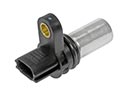 2001 Chevrolet Suburban 1500 Camshaft Position Sensor
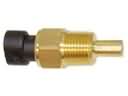 2001 Chevrolet Suburban 1500 Coolant Temperature Sensor
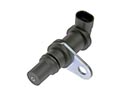 2001 Chevrolet Suburban 1500 Crankshaft Position Sensor
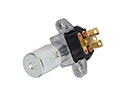 2001 Chevrolet Suburban 1500 Dimmer Switch
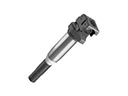 2001 Chevrolet Suburban 1500 Ignition Coil
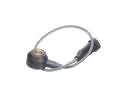 2001 Chevrolet Suburban 1500 Knock Sensor
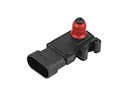 2001 Chevrolet Suburban 1500 MAP Sensor
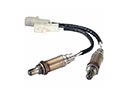 2001 Chevrolet Suburban 1500 Oxygen Sensor
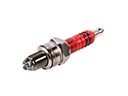 2001 Chevrolet Suburban 1500 Spark Plug
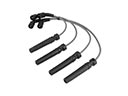 2001 Chevrolet Suburban 1500 Spark Plug Wires
 2001 Chevrolet Suburban 1500 Throttle Position Sensor
 2001 Chevrolet Suburban 1500 Vehicle Speed Sensor