ChevyParts
My Garage
My Account
Cart
OEM 2004 Chevrolet Tracker Brake Disc
Disc Rotor- Select Vehicle by Model
- Select Vehicle by VIN
Select Vehicle by Model
orMake
Model
Year
Select Vehicle by VIN
For the most accurate results, select vehicle by your VIN (Vehicle Identification Number).
1 Brake Disc found
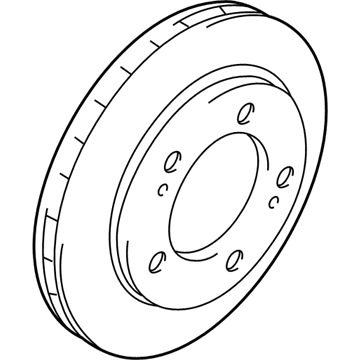
2004 Chevrolet Tracker Rotor Part Number: 30024673
Product Specifications- Other Name: Rotor, Front And Rear Wheel Brake; Disc Brake Hardware Kit; Brake Rotor
- Position: Front
- Item Weight: 12.30 Pounds
- Item Dimensions: 13.0 x 12.4 x 3.5 inches
- Condition: New
- Fitment Type: Direct Replacement
- Require Quantity: 2
- SKU: 30024673
- Warranty: This genuine part is guaranteed by GM's factory warranty.
2004 Chevrolet Tracker Brake Disc
With a comprehensive array of OEM 2004 Chevrolet Tracker Brake Disc, from fuel pumps to door handles, our website is a one-stop-shop for your needs. All our genuine 2004 Chevrolet Tracker Brake Disc are backed by the manufacturer's warranty and are offered at competitive prices in the market. Rest assured, you can shop with complete confidence.
2004 Chevrolet Tracker Brake Disc Parts and Q&A
- Q: How to Replace the Brake Disc on 2004 Chevrolet Tracker?A: The Brake Disc replacement starts with pumping two-thirds of brake fluid from the master cylinder reservoir through a siphon. Use the jack to raise the vehicle and take off both tire and wheel elements. Secure the c-clamp on the outer pad and caliper then crank it down to push the piston into place in the bore. Take off all two bolts holding the caliper set and caliper bracket. Lift the entire system with pads and caliper assembly away from the disc while avoiding letting the brake parts touch the flexible brake hoses to stay safe. Secure the caliper assembly with wire to block brake fluid flow. Push the disc off the Wheel Hub by placing two 8 mm bolts through the disc but leave them loose only if the disc is extremely hard to remove. Install the new disc by placing it on the hub. Adjust the caliper and the bracket before fastening them to the 2 brackets using 85nm or 61.5 foot-pound torque. Install the wheel and tire set the vehicle down and refill the brake fluid reservoir afterwards start the engine and depress the Brake Pedal a few times to reach proper piston alignment.
Related 2004 Chevrolet Tracker Parts
 2004 Chevrolet Tracker Brake Proportioning Valve
 2004 Chevrolet Tracker ABS Control Module
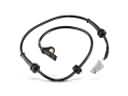 2004 Chevrolet Tracker ABS Sensor
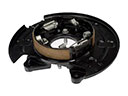 2004 Chevrolet Tracker Brake Backing Plate
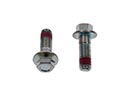 2004 Chevrolet Tracker Brake Caliper Bolt
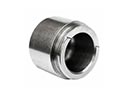 2004 Chevrolet Tracker Brake Caliper Piston
 2004 Chevrolet Tracker Brake Dust Shields
 2004 Chevrolet Tracker Brake Shoe
 2004 Chevrolet Tracker Hydraulic Hose
 2004 Chevrolet Tracker Parking Brake Shoe
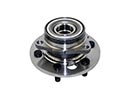 2004 Chevrolet Tracker Wheel Hub
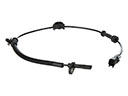 2004 Chevrolet Tracker Wheel Speed Sensor