ChevyParts
My Garage
My Account
Cart
OEM 2006 Chevrolet Colorado Brake Pad
Disc Brake Pad Set- Select Vehicle by Model
- Select Vehicle by VIN
Select Vehicle by Model
orMake
Model
Year
Select Vehicle by VIN
For the most accurate results, select vehicle by your VIN (Vehicle Identification Number).
1 Brake Pad found
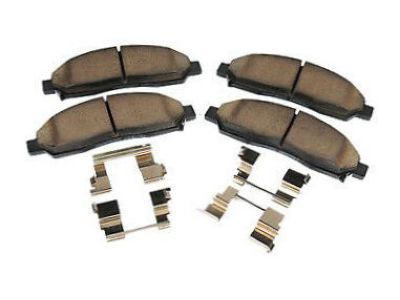
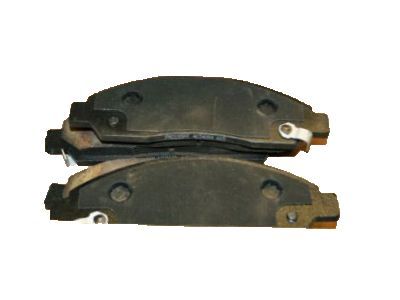
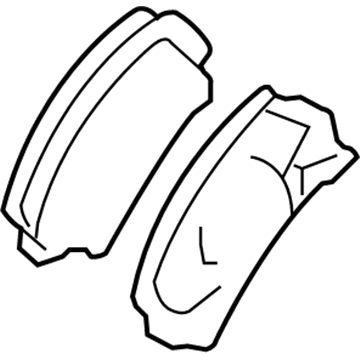
2006 Chevrolet Colorado Brake Pads Part Number: 89040317
Product Specifications- Other Name: Pad Kit, Front Disc Brake; Disc Brake Hardware Kit; Front Pads; Pad Kit, Brake
- Position: Front
- Replaces: 89040316
- Item Weight: 4.30 Pounds
- Item Dimensions: 8.4 x 5.9 x 3.5 inches
- Condition: New
- Fitment Type: Direct Replacement
- SKU: 89040317
- Warranty: This genuine part is guaranteed by GM's factory warranty.
2006 Chevrolet Colorado Brake Pad
With a comprehensive array of OEM 2006 Chevrolet Colorado Brake Pad, from fuel pumps to door handles, our website is a one-stop-shop for your needs. All our genuine 2006 Chevrolet Colorado Brake Pad are backed by the manufacturer's warranty and are offered at competitive prices in the market. Rest assured, you can shop with complete confidence.
2006 Chevrolet Colorado Brake Pad Parts and Q&A
- Q: How to replace brake pads on 2006 Chevrolet Colorado?A: Before starting pad replacement work check the brake fluid level is at midpoint between top and bottom marks and drain excess fluid when the level exceeds midway point. Take off the tire and wheel but keep the front caliper clean with denatured alcohol. Position the large c-clamp over the brake caliper pistons to push them into the assembly bore fully. Twist the caliper upward by removing its bottom bolt to work on the brake pads. Take out the brake pads from both sides keeping their shims for disposal. Put on new brake pads by using their supplied retention clips alone. Fasten new retaining clips on the brake pads first and afterwards position the brake caliper with the disks installed. Line up and fit the lower caliper guide pin bolt before tightening it to 40 nm (29 ft. Lbs.). After fitting the wheel and tire back in place return the vehicle to ground level then refill the master cylinder brake fluid until it reaches the right mark. Squeeze the Brake Pedal gently a few times until the pads find their position and keep repeating this if the pedal stays soft. After switching off the engine press down the Brake Pedal two-thirds of its range and let go slowly. Wait for 15 seconds then check if Brake Pedal feels firm enough. Follow up by filling the master cylinder to its required level while finishing the pad break-in process.
Related 2006 Chevrolet Colorado Parts
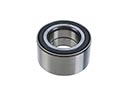 2006 Chevrolet Colorado Wheel Bearing
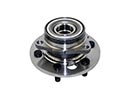 2006 Chevrolet Colorado Wheel Hub
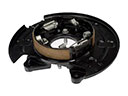 2006 Chevrolet Colorado Brake Backing Plate
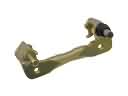 2006 Chevrolet Colorado Brake Caliper Bracket
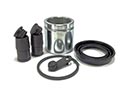 2006 Chevrolet Colorado Brake Caliper Repair Kit
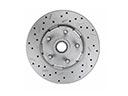 2006 Chevrolet Colorado Brake Disc
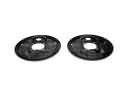 2006 Chevrolet Colorado Brake Dust Shields
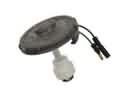 2006 Chevrolet Colorado Brake Fluid Level Sensor
 2006 Chevrolet Colorado Brake Line
 2006 Chevrolet Colorado Brake Shoe
 2006 Chevrolet Colorado Hydraulic Hose
 2006 Chevrolet Colorado Wheel Cylinder