ChevyParts
My Garage
My Account
Cart
OEM 2002 Chevrolet Malibu Engine Control Module
Engine Control Computer- Select Vehicle by Model
- Select Vehicle by VIN
Select Vehicle by Model
orMake
Model
Year
Select Vehicle by VIN
For the most accurate results, select vehicle by your VIN (Vehicle Identification Number).
1 Engine Control Module found
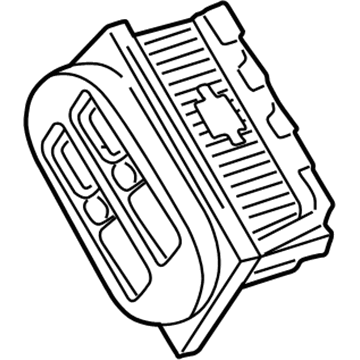
2002 Chevrolet Malibu PCM Part Number: 12209614
$322.30 MSRP: $583.37You Save: $261.07 (45%)Ships in 1-2 Business DaysProduct Specifications- Other Name: Module, Emission Control System; Engine Control Module; ECM
- Replaced by: 19433893
- Item Weight: 4.00 Pounds
- Item Dimensions: 10.9 x 8.2 x 4.1 inches
- Condition: New
- Fitment Type: Direct Replacement
- SKU: 12209614
- Warranty: This genuine part is guaranteed by GM's factory warranty.
2002 Chevrolet Malibu Engine Control Module
With a comprehensive array of OEM 2002 Chevrolet Malibu Engine Control Module, from fuel pumps to door handles, our website is a one-stop-shop for your needs. All our genuine 2002 Chevrolet Malibu Engine Control Module are backed by the manufacturer's warranty and are offered at competitive prices in the market. Rest assured, you can shop with complete confidence.
2002 Chevrolet Malibu Engine Control Module Parts and Q&A
- Q: How to program the Engine Control Module on 2002 Chevrolet Malibu?A: The programming of Engine Control Modules should start by gathering the vehicle's VIN. The Techline(R) terminal allows programmers to access Service Programming followed by choosing Tech 2(R) and Reprogram ECU then specifying Off-Board Programming Adapter as the ECU location. The correct harness connector from the Off-Board Programming Adapter kit needs to connect the control module and Off-Board Programming Adapter with Tech 2(R). Access the Service Programming Request Information feature from the Tech 2(R) device to establish connection with the control module before getting the access code followed by exiting the feature. Connect the Tech 2(R) to the Techline(R) terminal while turning it ON after removing it from the Off-Board Programming Adapter. The user must input their vehicle's VIN into the Techline(R) terminal after which the terminal will show the necessary database connection message. The first step is to choose the correct programming type then access the appropriate calibration file while making sure all connections remain fastened. After verifying the calibration summary on the Techline(R) terminal it begins an automatic file transfer to the Tech 2(R). Close the Tech 2(R) system after completion of the download process and disconnect it from the Techline(R) terminal before connecting it to the Off-Board Programming Adapter. Select Service Programming on the Tech 2(R). The programming process should be completed while keeping the Off-Board Programming Adapter powered up because security connections must remain intact and Techline(R) operating software needs to be updated before starting another control module reprogramming attempt. A failed reprogramming process requires replacement of the control module. To conclude select Program from the Tech 2(R) then disable Service Programming and complete the download before turning OFF the Off-Board Programming Adapter.
Related 2002 Chevrolet Malibu Parts
 2002 Chevrolet Malibu Crankshaft Position Sensor
 2002 Chevrolet Malibu Throttle Position Sensor
 2002 Chevrolet Malibu Coolant Temperature Sensor
 2002 Chevrolet Malibu Fuel Pump Relay
 2002 Chevrolet Malibu Headlight Relay
 2002 Chevrolet Malibu Igniter
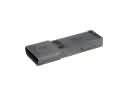 2002 Chevrolet Malibu Ignition Control Module
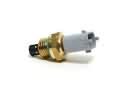 2002 Chevrolet Malibu Intake Manifold Temperature Sensor
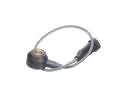 2002 Chevrolet Malibu Knock Sensor
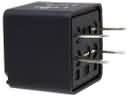 2002 Chevrolet Malibu Relay
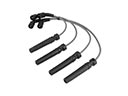 2002 Chevrolet Malibu Spark Plug Wires
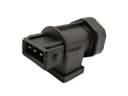 2002 Chevrolet Malibu Vehicle Speed Sensor