ChevyParts
My Garage
My Account
Cart
OEM 2005 GMC Canyon Timing Cover
Engine Timing Cover- Select Vehicle by Model
- Select Vehicle by VIN
Select Vehicle by Model
orMake
Model
Year
Select Vehicle by VIN
For the most accurate results, select vehicle by your VIN (Vehicle Identification Number).
1 Timing Cover found
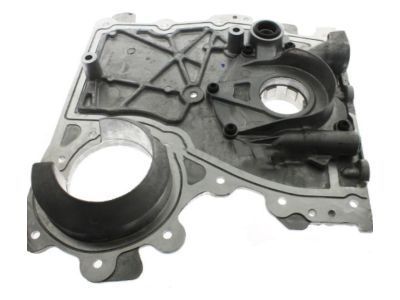
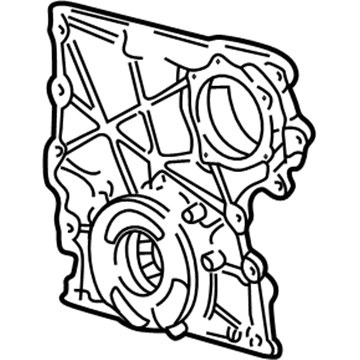
2005 GMC Canyon Front Cover Part Number: 12628565
Product Specifications- Other Name: Cover, Engine Front Cover; Timing Cover; Cover, Engine Cover Front
- Position: Front
- Replaces: 12601932, 12586647
- Item Weight: 6.50 Pounds
- Item Dimensions: 14.4 x 14.7 x 3.1 inches
- Condition: New
- Fitment Type: Direct Replacement
- SKU: 12628565
- Warranty: This genuine part is guaranteed by GM's factory warranty.
2005 GMC Canyon Timing Cover
With a comprehensive array of OEM 2005 GMC Canyon Timing Cover, from fuel pumps to door handles, our website is a one-stop-shop for your needs. All our genuine 2005 GMC Canyon Timing Cover are backed by the manufacturer's warranty and are offered at competitive prices in the market. Rest assured, you can shop with complete confidence.
2005 GMC Canyon Timing Cover Parts and Q&A
- Q: How to replace the engine front timing cover on 2005 GMC Canyon?A: To replace the front cover of the engine, start assembling the necessary tools: cover alignment pins (J 44219). Start by removing Water Pump, crankshaft balancer, drive belt tensioner, power steering pump, as well as the Oil Pump pipe and screen assembly, then drop down the vehicle. Then take off the 7 mm center bolt and the rest of the engine front cover bolts. Tighten two bolts in the threaded holes as jack screws to release the engine front cover from the engine block, unguk them and remove the engine from the cold portion made of the engine front cover and two bolts from jack screws holes. A failure to follow the above procedures will result in the need to repair the sealing surface and add an additional sealant onto the engine sealing surface. If the Oil Pump were removed, reinstall it and then insert the cover alignment pins (J 44219) into the engine block to help in alignment. It is essential to install the engine front cover immediately after 10 minutes of applying the sealer. Apply a 3 mm (0.12 inch) bead of sealer gm p./n 12378521 (Canadian P/N 88901148) on the engine front cover, align the Oil Pump to splines of the crankshaft sprocket, and position the engine front cover on j 44219 and onto the engine block. Install the engine front cover bolt, remove the j 44219, and then install two engine front cover bolts deliver out of three. Tighten the engine front cover bolts to 10 nm (89inch lbs), including tightening the small center bolt last to 8 nm (71 inch lbs). Lastly, replace the Oil Pump pipe and screen assembly, power steering pump, drive belt tensioner, crankshaft balancer, and Water Pump.
Related 2005 GMC Canyon Parts
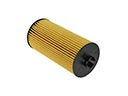 2005 GMC Canyon Oil Filter
 2005 GMC Canyon Timing Chain
 2005 GMC Canyon Belt Tensioner Bolt
 2005 GMC Canyon Cam Gear
 2005 GMC Canyon Coolant Filter
 2005 GMC Canyon Crankshaft
 2005 GMC Canyon Crankshaft Gear
 2005 GMC Canyon Engine Mount
 2005 GMC Canyon Head Gasket
 2005 GMC Canyon Piston Ring
 2005 GMC Canyon Rocker Shaft Spring Kit
 2005 GMC Canyon Timing Chain Guide