ChevyParts
My Garage
My Account
Cart
OEM 2000 Cadillac Catera Brake Disc
Disc Rotor- Select Vehicle by Model
- Select Vehicle by VIN
Select Vehicle by Model
orMake
Model
Year
Select Vehicle by VIN
For the most accurate results, select vehicle by your VIN (Vehicle Identification Number).
2 Brake Discs found

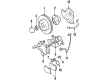
2000 Cadillac Catera Rotor Part Number: 90392559
Product Specifications- Other Name: Rotor Kit, Front Brake; Disc Brake Hardware Kit; Brake Rotor; Rotor Kit, Front And Rear Wheel Brake
- Position: Front
- Item Weight: 36.10 Pounds
- Item Dimensions: 13.7 x 13.1 x 6.1 inches
- Condition: New
- Fitment Type: Direct Replacement
- SKU: 90392559
- Warranty: This genuine part is guaranteed by GM's factory warranty.
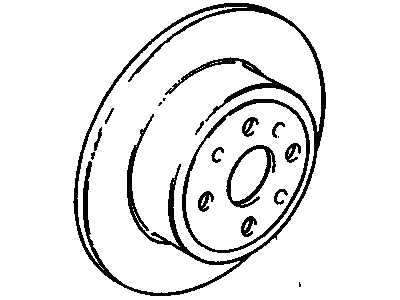
2000 Cadillac Catera Rotor Part Number: 93182292
Product Specifications- Other Name: Rotor Kit, Rear Brake; Brake Rotor; Rotor Kit, Front And Rear Wheel Brake
- Position: Rear
- Replaces: 90444513
- Item Weight: 25.70 Pounds
- Item Dimensions: 13.7 x 13.8 x 5.5 inches
- Condition: New
- Fitment Type: Direct Replacement
- SKU: 93182292
- Warranty: This genuine part is guaranteed by GM's factory warranty.
2000 Cadillac Catera Brake Disc
With a comprehensive array of OEM 2000 Cadillac Catera Brake Disc, from fuel pumps to door handles, our website is a one-stop-shop for your needs. All our genuine 2000 Cadillac Catera Brake Disc are backed by the manufacturer's warranty and are offered at competitive prices in the market. Rest assured, you can shop with complete confidence.
2000 Cadillac Catera Brake Disc Parts and Q&A
- Q: How to replace the front brake disc on 2000 Cadillac Catera?A: Start by lifting and supporting the vehicle before you take off the tire and wheel. Apply the tube fittings to the bleeder screw and place a container underneath to gather the brake fluid. Pump the Piston into the sleeve to free room between the brake pads and Brake Disc space. Take out both caliper bracket bolts and keep them safely aside but do not turn or damage the brake hose or Brake Pad wear sensor wire. Put mechanic's wire around both caliper and bracket before pulling them apart with the Brake Disc setup loose. Replace the set screw that holds the Brake Disc, then take the disc off. Use proper tools to clean both the axle flange and Brake Disc before setting up new hardware because debris causes brake pulsing and runout issues. Insert the caliper bracket bolts into their threads in the Steering Knuckle to detach remaining locking compound before mounting the fresh Brake Disc and tightening the Brake Disc set screw. Fit the caliper bracket and caliper to the Steering Knuckle while applying 272 threadlocker, gm p/n 12345493 or similar product to the new caliper bracket bolts. Firmly tighten the new caliper bracket bolts to 95 nm (70 ft. Lbs.) on the first apply and add another 37 degrees on the second round of tightening. Put back the tire and wheel parts while letting the car settle down then complete the brake fluid tank. The brakes need to go through breaking-in when new braking components meet refurbished discs; excessive brake heating must be prevented. Apply 20 hard stops at 48 km/h (30 mph) through the brake pedal using medium to firm pressure to make the new brake pads work properly.
Related 2000 Cadillac Catera Parts
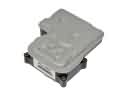 2000 Cadillac Catera ABS Control Module
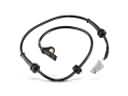 2000 Cadillac Catera ABS Sensor
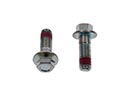 2000 Cadillac Catera Brake Caliper Bolt
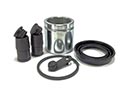 2000 Cadillac Catera Brake Caliper Repair Kit
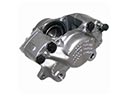 2000 Cadillac Catera Brake Calipers
 2000 Cadillac Catera Brake Master Cylinder
 2000 Cadillac Catera Hydraulic Hose
 2000 Cadillac Catera Parking Brake Cable
 2000 Cadillac Catera Parking Brake Shoe
 2000 Cadillac Catera Spindle Nut
 2000 Cadillac Catera Wheel Hub Bolt
 2000 Cadillac Catera Wheel Speed Sensor